

Meet The CrowPi-L – A Clever, Slightly Rustic, Raspberry Pi Laptop Chassis
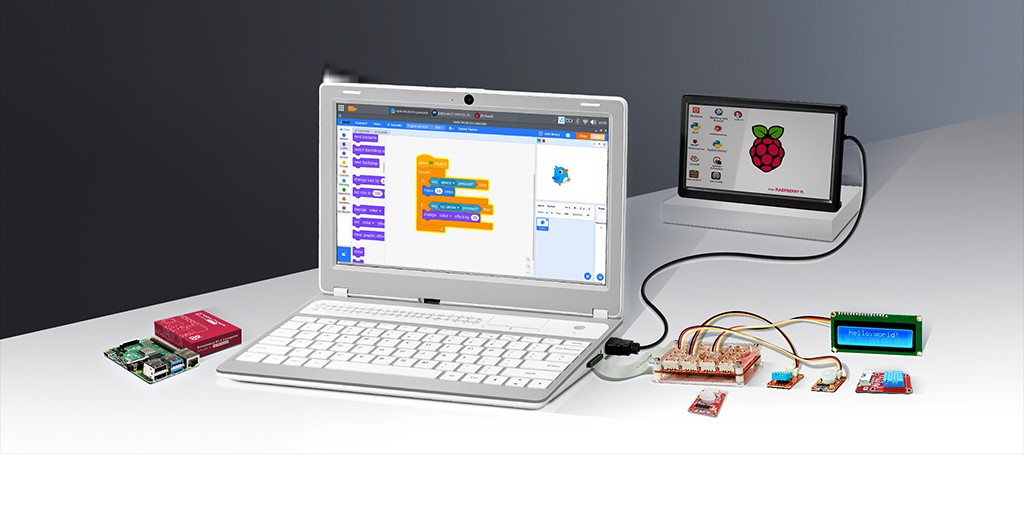
Desktop Tourism The Raspberry Pi is rightly celebrated as a very clever feat of design. But I've always found Pi-based machines hard to work with because connecting a Pi to the peripherals needed to make it useful creates a tangle of wires.
I once acquired an L-shaped USB cable to tidy up a Pi-based 3.5-inch touch screen alarm clock. The result was no more messy than other appliances that use a single power cord.
But building the machine meant a nasty tangle of cables snaking to my monitor, wired network, and input devices.
Which is why I found myself very interested in the CrowPi-L – a $220 laptop chassis designed to house a Raspberry Pi 4B. The machine includes an 11.6-inch 1366x768 screen and a touchpad. But the real magic is inside, where you'll find a tray designed to house the Pi and connect to its ports so that they appear on the outside of a machine just like ports on any other laptop. Elecrow will install a Pi and charge you for it, or you can BYO and DIY.
Some of the Pi's ports line up to holes on the left-hand side of the chassis, others are piped through the machine to its right thanks to cunningly concealed connectors and extenders. There's also a 5000mAh battery tucked away inside, to make the Pi truly portable. A nifty inclusion is a double-sided microSD card tray that includes a switch so you can choose which disk to boot from. You'll need to open the machine to find that switch, but it's a two-second job.
The machine looks like a netbook – the small and modestly-specced PCs that were popular in the mid-2000s – albeit a chunky netbook made from slightly tatty plastic, and with some rustic aspects like a cable that emerges on the exterior to connect the laptop screen.
Promised battery life is three hours and I never found a need to charge before that time elapsed.
The keyboard is sub-par, with shallow travel and a nasty feel. You won't write, or code, at speed on this machine.
The touchpad is a terrible mistake. It is tiny and placed to the top right of the keyboard. Twenty years of muscle memory tells me that touchpads are centered below the keyboard, so this positioning needlessly frustrates. Pity the left-handed.
Thankfully Elecrow ships the machine with a wireless mouse, although the choice of using a proprietary USB receiver instead of a Bluetooth rodent exposed the machine’s tight tolerances. I needed to make quite an effort to connect the mouse's USB-A wireless receiver. The provided 40-pin GPIO cable also needed a solid shove.
Not quite knowing if you've connected a device, or damaged its host, is a part of the CrowPi-L experience.
- This tiny Intel Xeon-toting PC board can take your Raspberry Pi any day
- Ant Group’s in-house DB set for global release, including Raspberry Pi edition
- Raspberry Pi 4 takes a trip to Vulkan, sharpens 3D vision
But once it is up and running it does a job. We've assessed the rPi 4 before and noted it's nicely snappy, so the CrowPi-L is therefore capable of making you passably mobile and productive – if you can put up with the keyboard, dim and small screen, and three hours of battery life is enough for your needs.
Making the Pi portable is only one of the suggested roles for the device. Elecrow also offers the “Crowtail Starter Kit” – a chocolate box full of electronic components that can be plugged into a base shield offering 16 four-pin grove connectors that hooks up to the rPi's General Purpose Input Output port with a short ribbon cable.
Accompanying tutorials offer procedures for getting the various components working.
The couple of tutorials I tested quickly produced results with the I2C LCD and RGB modules. I look forward to moving into more advanced projects.
The starter kit is sold separately and there appears to be no reason you couldn't run it with any other Raspberry Pi. Even the Raspberry Pi 400 – the Pi foundation's Pi-baked-into-a-keyboard that does just as good a job as the CrowPi-L in terms of tidying up a Pi-powered desktop.
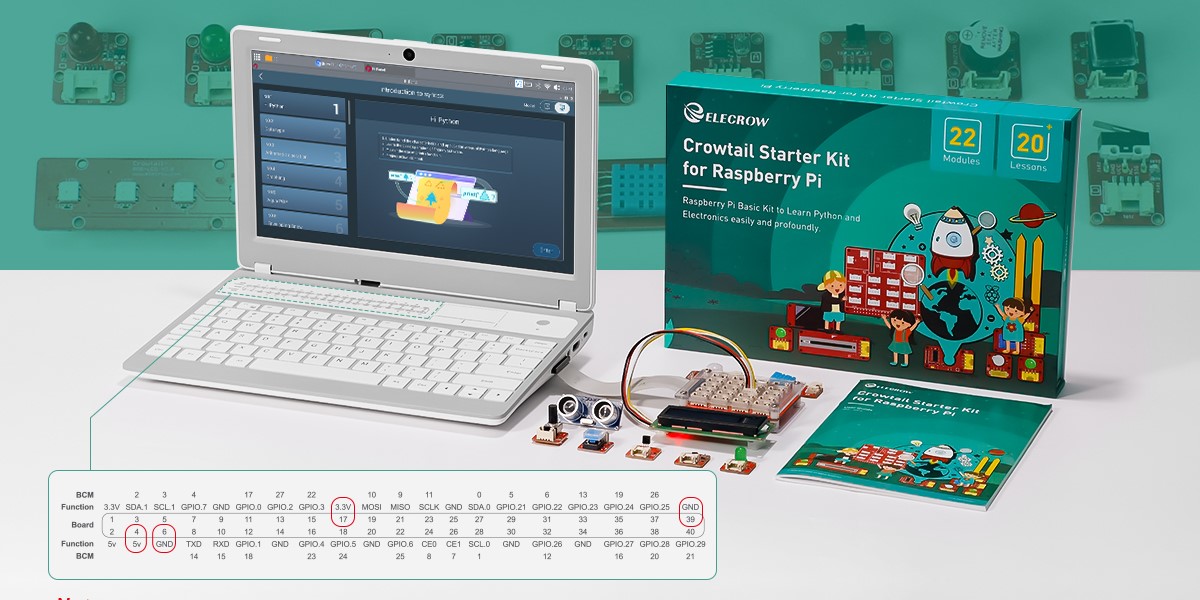
The CrowPi L raspberry Pi laptop chassis with starter kit - Click to enlarge
If you don't need a mobile Pi, the 400's superior keyboard probably makes it a better option if you want an uncluttered everyday Pi experience.
But if you're after a simple way to make a Pi portable, it's a fine option. And if you want to deploy the Pi in a classroom or a lab to impart Python knowledge, this machine would be ideal. ®
From Chip War To Cloud War: The Next Frontier In Global Tech Competition
The global chip war, characterized by intense competition among nations and corporations for supremacy in semiconductor ... Read more
The High Stakes Of Tech Regulation: Security Risks And Market Dynamics
The influence of tech giants in the global economy continues to grow, raising crucial questions about how to balance sec... Read more
The Tyranny Of Instagram Interiors: Why It's Time To Break Free From Algorithm-Driven Aesthetics
Instagram has become a dominant force in shaping interior design trends, offering a seemingly endless stream of inspirat... Read more
The Data Crunch In AI: Strategies For Sustainability
Exploring solutions to the imminent exhaustion of internet data for AI training.As the artificial intelligence (AI) indu... Read more
Google Abandons Four-Year Effort To Remove Cookies From Chrome Browser
After four years of dedicated effort, Google has decided to abandon its plan to remove third-party cookies from its Chro... Read more
LinkedIn Embraces AI And Gamification To Drive User Engagement And Revenue
In an effort to tackle slowing revenue growth and enhance user engagement, LinkedIn is turning to artificial intelligenc... Read more