
All Microsoft Surface Pro X Cameras Just Stopped Working
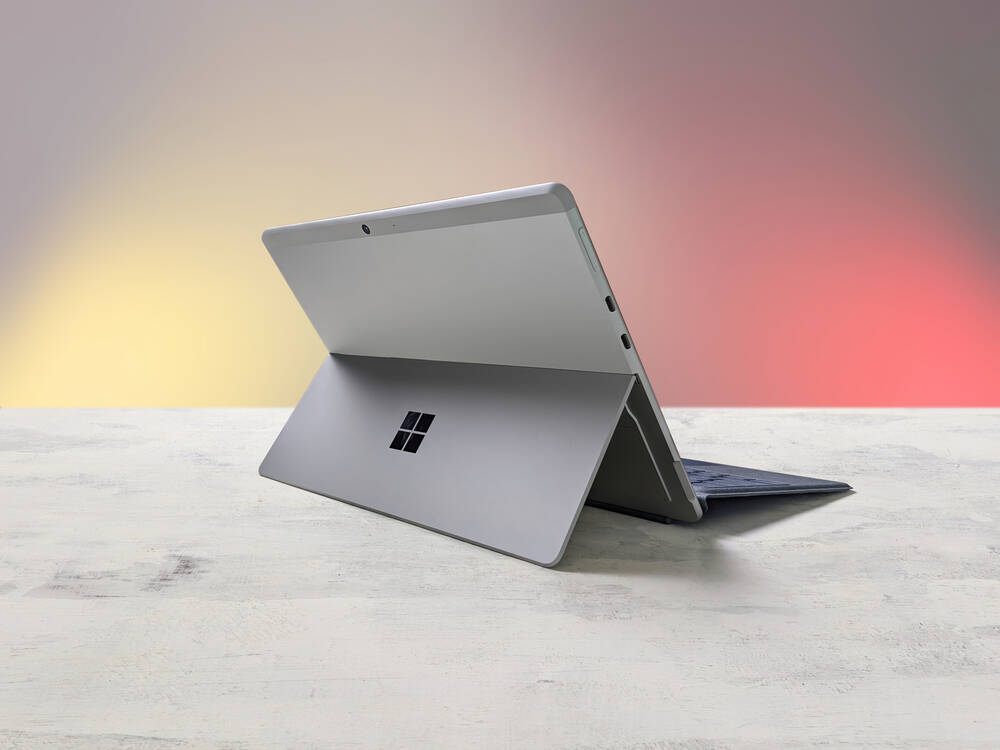
Users of Microsoft's Surface Pro X have found their Windows fondleslab cameras no longer function, apparently due to an expired security certificate.
Numerous reports of camera failures started to appear Tuesday in online forums such as Reddit and the Microsoft Community.
The issue affected both front and back cameras on the tablet-laptop hybrid, and prevents applications like Windows Hello face recognition and Zoom, among others, from functioning properly.
Affected users report seeing the error code "0xA00F4271<MediaCaptureFailedEvent> (0x80004005)". This is a common error when camera problems arise.
The Redmond, Washington-based tech giant did not immediately respond to a request for comment, though it appears the biz is aware of the issue and is looking into it.
The @MicrosoftHelps account on Twitter recently responded to an exhortation to deal with the Surface Pro X camera problem with a reassuring but somewhat muddled message: "...Thank you for informing us of your concern. We understand that your device's Windows Hello and camera have stopped working. We know how important it is to settle this. We are here to help you. We sent you a DM to maximize the characters' usage."
That last sentence sounds as if something has been lost in translation, but suffice to say that if the issue is an invalid security certificate, that can be repaired by a software update, eventually.
The corporation's support site includes various suggestions for restoring the function of a non-working camera. But standard troubleshooting advice appears not to work in this case.
Surface Pro X customers, however, have stepped in with a workaround: going back in time before the campocalypse, camtastrophe, camageddon, or whatever this snafu deserves to be called.
The workaround involves opening the device's Date & Time Settings, turning off automatic time setting, then manually adjusting the time to some date prior to May 23, 2023 – preferably more than a few days. That way, no subsequent time rollback will be required if Microsoft takes a few days to deliver a patch.
- Microsoft Surface Pro X: Windows on Arm usable at long last – but, boy, are you gonna pay for it
- Microsoft takes another shot at the Windows-on-Arm thing with a revamped Surface Pro X powered by new SQ2 silicon
- Microsoft enables booting physical PCs directly into cloud PCs
- Microsoft finally gets around to supporting rar, gz and tar files in Windows
Unfortunately, meddling with time may create other problems. Users report that time inconsistencies can affect the state of certain apps, resulting in the need to reauthenticate or other malfunctions.
Chrome, for example, may throw "Your clock is behind" or "Your clock is ahead" or "NET::ERR_CERT_DATE_INVALID" errors when it detects an inaccurate clock. Firefox can be similarly sensitive.
Windows users in managed environments, however, may not have this option. Windows includes specific policy settings for changing system time and changing a device's time zone.
Microsoft does not disclose Surface sales separately. According to research firm Strategy Analytics, the Windows biz sold 1.9m tablet computers in 2021.
A significant number of them are now waiting for Microsoft to issue a fix. ®
Gyrostat Capital Management: Why Risk Management Is Not About Predicting Risk
Why Risk Management is Not About Predicting Risk Financial markets reward confidence, but they punish certai... Read more
Gyrostat January Outlook: Calm At Multiyear Extremes
This monthly Gyrostat Risk-Managed Market Outlook does not attempt to forecast market direction. Its p... Read more
Gyrostat December Outlook: The Market Does The Work
Harnessing Natural Volatility for Consistent Returns Markets have always moved more th... Read more
Gyrostat Capital Management: Why Advisers Must Scenario-Plan Both The Bubble And The Bust
The Blind Spot: Why Advisers Must Scenario-Plan Both The Bubble and The Bust In financial m... Read more
Gyrostat Capital Management: The Hidden Architecture Of Consequences
When Structures Themselves Become A Risk In portfolio construction, risk is rarely where we look for it.... Read more
Gyrostat November Outlook: The Rising Cost Of Doing Nothing
Through the second half of 2025, markets have delivered a curious mix of surface tranquillity and instabi... Read more